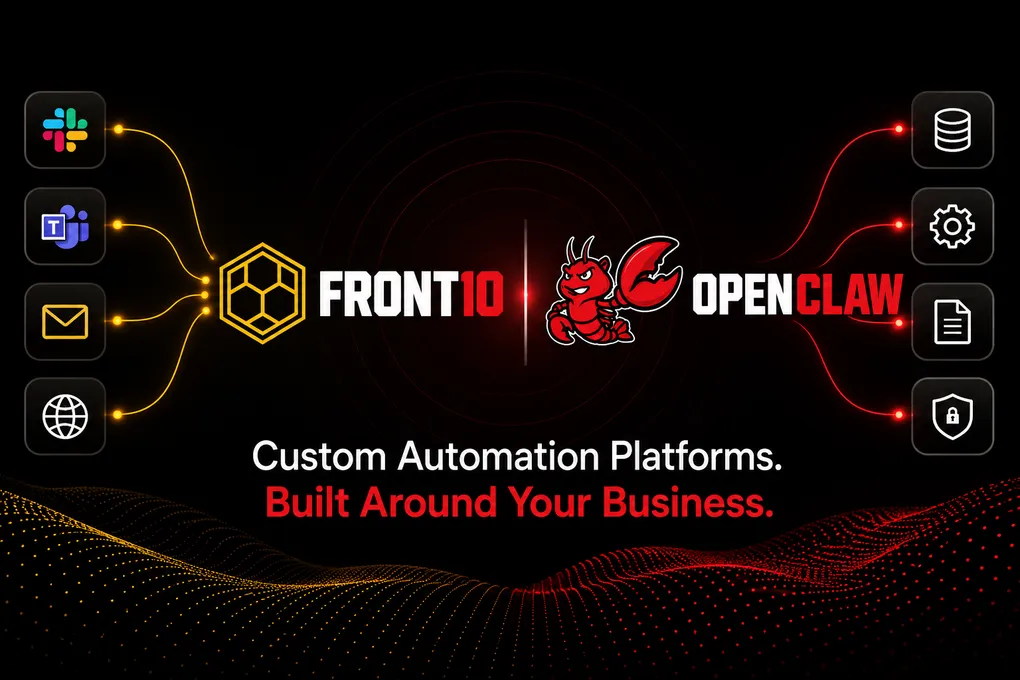
Custom Automation Platforms with OpenClaw: Secure, Scalable, and Built Around Your Business
Most companies do not need another generic chatbot. They need automation that understands how their teams work, connects to the systems they already use, follows their internal rules, and can be operated safely at scale.
That is the difference between installing an automation tool and designing an automation platform.
Our approach uses OpenClaw as the foundation for building tailored automation solutions that can connect multiple business systems, orchestrate multi-step processes, expose assistants through familiar channels, and provide each client with a dedicated web interface for administration, monitoring, and operational visibility.
The result is not a one-size-fits-all hosted instance. It is a configurable, secure, and extensible architecture that can be adapted to the real workflows of each organization.
Why OpenClaw Is a Strong Foundation for Custom Automation
OpenClaw provides a practical base for modern agentic automation because it is not limited to a single interface or a single workflow style. It can act as a connective layer between users, systems, tools, and long-running processes.
At a high level, OpenClaw gives us several important building blocks:
- Channel connectivity: users can interact with assistants through Slack, Microsoft Teams, email, web chat, or other custom interfaces.
- Tool and connector orchestration: workflows can call external APIs, internal services, document processors, storage systems, notification channels, and business-specific tools.
- Agent-based execution: different agents can specialize in different responsibilities while still operating under a shared runtime and governance model.
- Workspace and memory patterns: the system can maintain operational context, structured knowledge, and reusable state across interactions.
- Scheduled and event-driven workflows: automations can run on demand, on a schedule, or in response to external events such as messages, uploaded files, webhook activity, or system changes.
- Policy and approval controls: sensitive actions can be gated, restricted, or routed through human review before execution.
This makes OpenClaw especially useful as an interconnector and orchestrator. It can receive an instruction from one channel, enrich it with context from another system, apply business logic, trigger the correct tools, and return the result through the channel where the user is already working.
From Chatbot to Business Process Orchestrator
The strongest use cases emerge when the assistant is not treated as a conversational layer only.
With the right architecture, an OpenClaw-based solution can become an operational orchestration layer that coordinates work across people, data, and systems. For example, a user might send a request through Slack, the platform might retrieve internal context, validate permissions, call an external API, generate a document, notify an approver by email, and update a dashboard when the process is complete.
That type of flow requires more than a prompt. It requires:
- Clear routing between channels, agents, and tools.
- Custom business logic for decisions, validations, and exception handling.
- Secure access to credentials and tenant-specific configuration.
- Persistent workspace state for files, context, outputs, and auditability.
- Monitoring so operators can understand what each deployed instance is doing.
- Deployment patterns that allow changes to be reviewed, versioned, and rolled out safely.
OpenClaw provides the runtime foundation. Our architecture adds the structure needed to turn that foundation into reliable client-specific automation.
Tailored Business Logic Without Rebuilding the Platform
Every organization has its own rules. Approval chains, naming conventions, escalation paths, report templates, compliance requirements, notification preferences, and data boundaries vary widely from one client to another.
Instead of forcing every client into the same automation model, we design each deployment around configurable overlays and custom extensions.
This means a solution can include:
- Client-specific workflows and operating rules.
- Custom tools that connect to proprietary APIs or internal services.
- Business logic for validation, prioritization, approvals, routing, and exception handling.
- Dedicated templates for reports, messages, summaries, or operational outputs.
- Channel policies that define where the assistant can respond and what it can do in each channel.
- Role-based operational views for administrators, support teams, or client stakeholders.
The platform remains reusable, but the behavior of each instance can be adapted to the client. That balance is important: it avoids the cost of building everything from scratch while still giving clients the flexibility that generic hosting cannot provide.
Multi-Channel Interaction: Slack, Email, Teams, Web, and Beyond
Automation works best when users do not need to change their habits to use it.
For that reason, the architecture supports multiple interaction channels. A client can start with Slack, add email-based workflows, expose a web chat, or connect Microsoft Teams depending on how their teams already communicate.
Each channel can be configured with different rules:
- Which users, workspaces, groups, or rooms are allowed.
- Whether the assistant must be mentioned before responding.
- Which tools are available from that channel.
- Whether sensitive actions require confirmation.
- How notifications, reports, or follow-ups should be delivered.
This matters because not all channels have the same trust level. A private admin interface, an internal Slack channel, and an email inbox should not automatically receive the same capabilities. The platform can enforce those differences at the configuration and tool-policy level.
A Personalized Web Interface for Each Instance
Chat channels are excellent for daily interaction, but clients also need visibility.
That is why our architecture includes a web interface that can be customized for each deployed instance. This interface can provide a dedicated operational layer for administrators, support teams, or client managers.
Depending on the engagement, the web experience can include:
- Instance status and health indicators.
- Activity samples and operational logs.
- Configured channels and integration status.
- High-level monitoring for deployed services.
- Documentation, onboarding instructions, or runbooks.
- Administrative workflows for controlled actions where appropriate.
- Client-specific views aligned with the processes being automated.
The key point is separation of concerns. End users can work through Slack, Teams, email, or web chat. Operators and administrators can use a dedicated interface to monitor the instance, review activity, and manage the operational lifecycle.
Secure by Design
Custom automation becomes valuable only when clients can trust it with real workflows. Security cannot be an afterthought.
Our reference architecture is designed around separation, restricted access, and least privilege.
Important patterns include:
- Dedicated runtime instances: each client deployment can run with its own configuration, state, credentials, and operational boundaries.
- Private gateway access: the automation gateway can run inside private network boundaries rather than being exposed directly to the public internet.
- Secret isolation: integration tokens and sensitive configuration can be stored in managed secret systems instead of committed to code or placed in public configuration.
- Channel-level policy: Slack, Teams, email, web chat, and admin surfaces can receive different capabilities based on trust level.
- Tool allowlists and denylists: only approved tools and actions are available to each agent or channel.
- Human-in-the-loop controls: sensitive workflows can require confirmation, review, or escalation.
- Operational auditability: logs, activity samples, and deployment metadata help teams understand what happened and where to investigate.
This is a major difference from a simple hosted installation. A preinstalled environment may be fast to launch, but it often leaves little room to define precise boundaries around channels, actions, credentials, and client-specific operations.
Scalable Infrastructure for Real Deployments
An automation proof of concept can run almost anywhere. A production automation platform needs stronger guarantees.
Our infrastructure approach is built for repeatable deployments and operational growth. It can use containerized OpenClaw runtimes, infrastructure as code, private networking, managed secrets, object storage, logs, and cloud-native deployment pipelines.
In practical terms, this enables:
- Repeatable creation of new client instances.
- Versioned base runtime images.
- Client-specific overlays without rebuilding the entire platform for every change.
- Durable storage for workspace files, generated outputs, and integration artifacts.
- Centralized logs and operational health checks.
- Safer rollout practices across development, staging, and production environments.
- A path to scale from one workflow to many workflows without changing the core operating model.
The goal is to make customization operationally sustainable. Each client can receive a tailored solution, but the platform team can still deploy, monitor, and evolve those solutions through a consistent architecture.
Where This Type of Solution Creates Value
OpenClaw-based custom automation is useful for organizations with recurring processes that depend on multiple systems, approvals, documents, and communication channels.
Professional Services
Consulting, legal, accounting, and advisory teams often coordinate work across email, document repositories, project tools, and client communications. A tailored automation layer can help route requests, prepare summaries, generate drafts, manage follow-ups, and standardize recurring deliverables.
Operations and Logistics
Operations teams frequently depend on status updates, exception handling, vendor communication, scheduling, and internal approvals. A custom assistant can monitor signals, trigger workflows, notify the right people, and maintain a shared operational record.
Financial and Administrative Teams
Finance, procurement, and back-office teams can benefit from workflows that collect inputs, validate information, route approvals, generate reports, and connect to internal systems while preserving control over sensitive actions.
Healthcare and Regulated Operations
Administrative teams in regulated environments often need automation that respects strict access boundaries and review processes. A configurable architecture can support controlled workflows, role-aware routing, audit trails, and integration with existing communication tools.
SaaS and Customer Operations
Customer success, support, onboarding, and implementation teams often need assistants that can retrieve account context, summarize activity, coordinate internal handoffs, and automate repetitive communications across chat, email, and ticketing systems.
Manufacturing and Field Services
Teams coordinating inspections, maintenance, incidents, or field requests can use automation to collect updates, route issues, generate structured reports, and notify stakeholders through the channels they already use.
In each case, the value is not simply “AI in chat.” The value is connecting the assistant to the actual operating model of the business.
Why Not Just Use a Preinstalled Hosted Instance?
A preinstalled hosted environment can be useful for testing a tool quickly. It is less suitable when the client needs a solution that reflects their processes, security needs, and operational structure.
Common limitations of generic hosting include:
- Limited ability to define client-specific business logic.
- Restricted access to runtime configuration and deployment patterns.
- Fewer options for private networking or strict gateway exposure.
- Limited control over secrets, credentials, and integration boundaries.
- Difficulty separating user channels from administrative surfaces.
- Minimal support for custom web interfaces or client-specific dashboards.
- Harder integration with proprietary systems or internal APIs.
- Less flexibility for versioned rollouts, staging environments, and review workflows.
Our model is different. We use OpenClaw as a powerful base, but we shape the surrounding architecture to fit the client. That includes the runtime, integrations, channel policies, administrative interface, monitoring model, and custom automation logic.
What Clients Actually Receive
A client engagement can be designed around the level of automation maturity the organization needs.
At the platform level, the solution can include:
- An OpenClaw-based automation runtime.
- Custom connectors and tools for third-party or internal systems.
- Business-specific workflows and rules.
- Slack, Teams, email, web chat, or custom channel integrations.
- A dedicated web interface for administration and monitoring.
- Secure management of secrets and environment configuration.
- Per-instance deployment, state, and operational visibility.
- Logs, health indicators, and support-oriented observability.
- A path for future expansion as new workflows are identified.
This makes it possible to start with one high-value workflow and evolve toward a broader automation platform without replacing the foundation.
A Practical Path to Adoption
The best automation initiatives usually start with a focused process, not a broad transformation promise.
A practical rollout often follows this pattern:
- Identify a recurring workflow with measurable operational friction.
- Map the people, systems, documents, channels, and approval points involved.
- Define the assistant behavior, tool access, and security boundaries.
- Deploy a dedicated OpenClaw-based instance with the required connectors and policies.
- Add the web interface and monitoring views needed by administrators.
- Validate the workflow with real users and controlled actions.
- Expand into adjacent workflows once the operating model is proven.
This approach keeps the first deployment concrete while preserving the architecture needed for long-term growth.
Conclusion
OpenClaw gives us a strong foundation for channel-based automation, agent orchestration, tool connectivity, and extensible workflows. The real advantage comes from combining that foundation with secure infrastructure, client-specific configuration, custom business logic, and a dedicated operational interface.
For organizations that need automation beyond a generic hosted setup, this architecture offers a better path: tailored workflows, controlled integrations, scalable deployment, and the flexibility to evolve as the business grows.
The opportunity is not just to automate isolated tasks. It is to build a reliable automation layer that fits how each client actually works.